Email Analysis -> Manual vs Automated (Anomix)
September 4, 2025 • Email Analysis

A detailed comparison of manual email analysis using header extraction tools versus automated analysis with Anomix, highlighting accuracy, speed, and threat intelligence integration.
Introduction
In this write-up, we will perform a step-by-step email analysis using two approaches:
- Manual analysis with header parsing tools.
- Automated analysis with Anomix.
The objective is to evaluate both methods in terms of time efficiency, accuracy, and threat intelligence capabilities, and determine which approach is more effective for real-world security operations.
What is Anomix?
Anomix is a CLI-based phishing email analysis tool that leverages machine learning and automation to investigate suspicious emails.
It can:
- Extract key artifacts (headers, URLs, attachments).
- Enrich findings with Threat Intelligence (TI).
- Detect anomalies using ML models.
- Score emails based on risk.
- Generate structured reports (HTML, JSON, terminal output).
This makes it particularly useful in corporate SOC environments, where rapid and accurate response is critical.
Manual Email Analysis
For manual analysis, we rely on various header extraction and parsing tools. Instead of manually going through raw .eml files, these platforms help visualize and interpret headers quickly.
Tools for Email Header Analysis
1. Sparkle Email Header Analyzer
- Features: Diagnoses delivery issues, traces email paths, and validates SPF/DKIM/DMARC.
- Usage: Paste email headers for instant results.
- Pricing: ✅ Free
2. LetsPhish Email Analyzer
- Features: Converts raw headers into human-readable format.
- Usage: Copy & paste headers to start analysis.
- Pricing: ✅ Free
3. Ticketdesk Email Header Parser
- Features: Troubleshoots delivery/authentication problems.
- Usage: Paste headers to analyze routing.
- Pricing: ✅ Free
4. Mailgun Email Header Analyzer
- Features: Provides SPF/DKIM/DMARC verification & deliverability insights.
- Usage: Paste headers for testing.
- Pricing: ⚠️ Free (advanced features require Mailgun account/plan).
5. EasyDMARC Email Investigation Tool
- Features: Detects spoofing attempts & investigates headers.
- Usage: Upload/forward emails for automated checks.
- Pricing: ⚠️ Free with limitations (advanced features are paid).
Observations from Manual Analysis
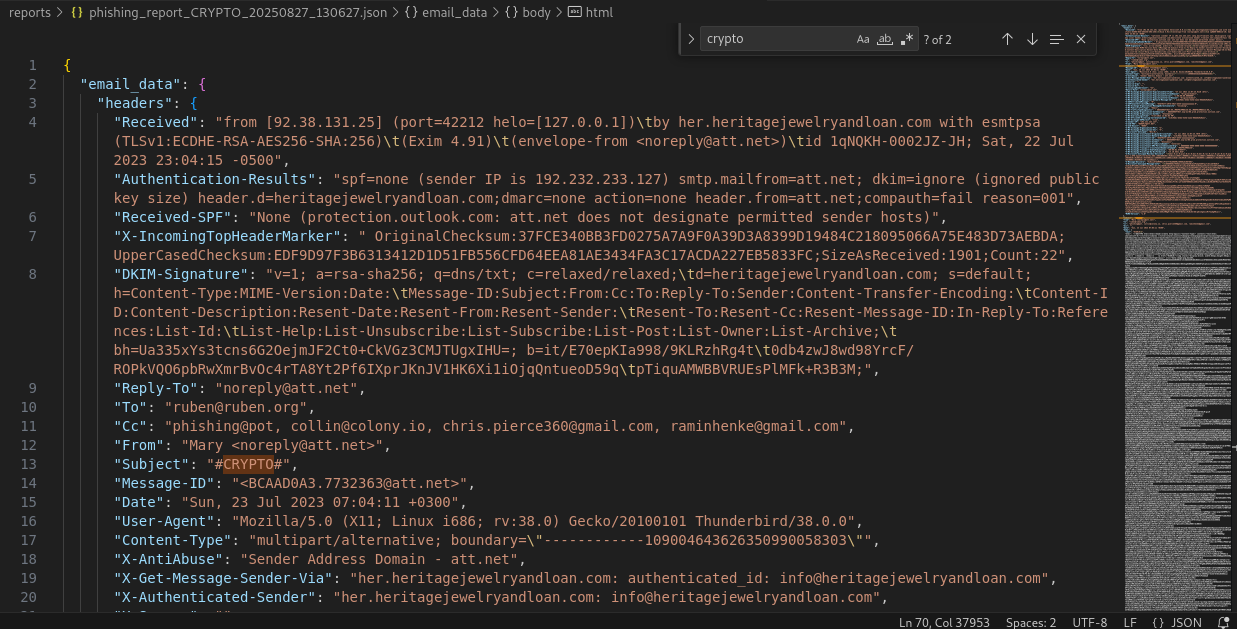
We opened the malicious .eml file using EML Reader to view its graphical content. The message was clearly a crypto scam.
- The email contained base64-encoded images with pixel tracking.
- A hidden placeholder (
#CRYPTO#) in the<img>tag suggested a malicious URL insertion point. - No attachments were found.
Example Outputs:
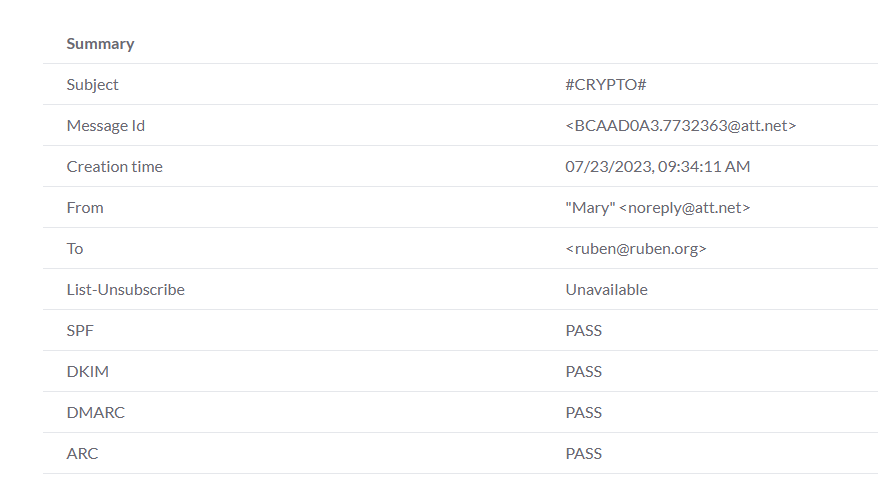
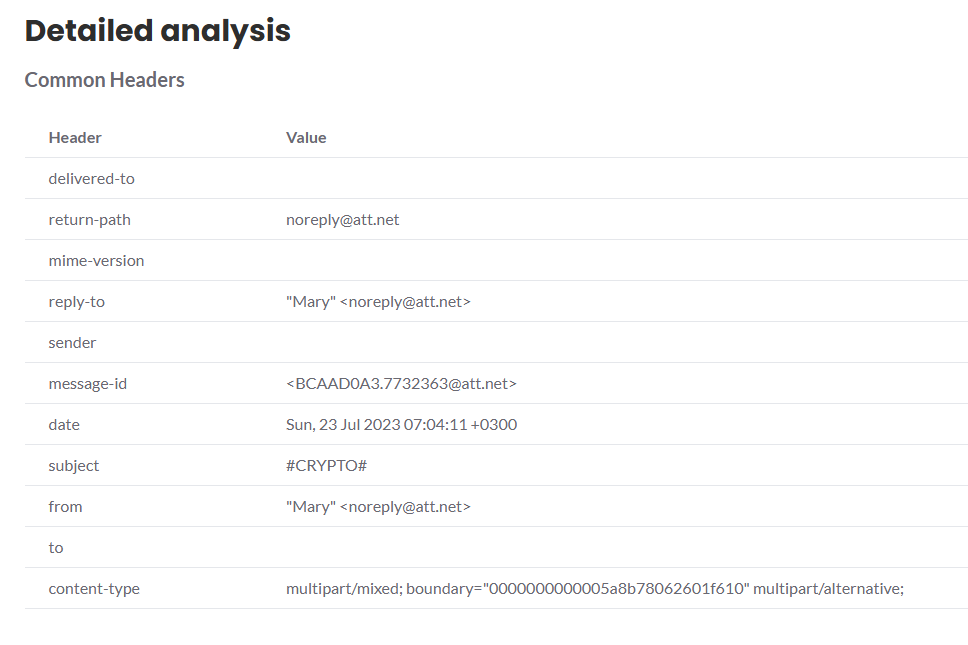
- LetsPhish Results
- Authentication (SPF, DKIM, DMARC, ARC) showed PASS.
- Displayed sender/recipient details.
- Summary + detailed breakdown of authentication headers.
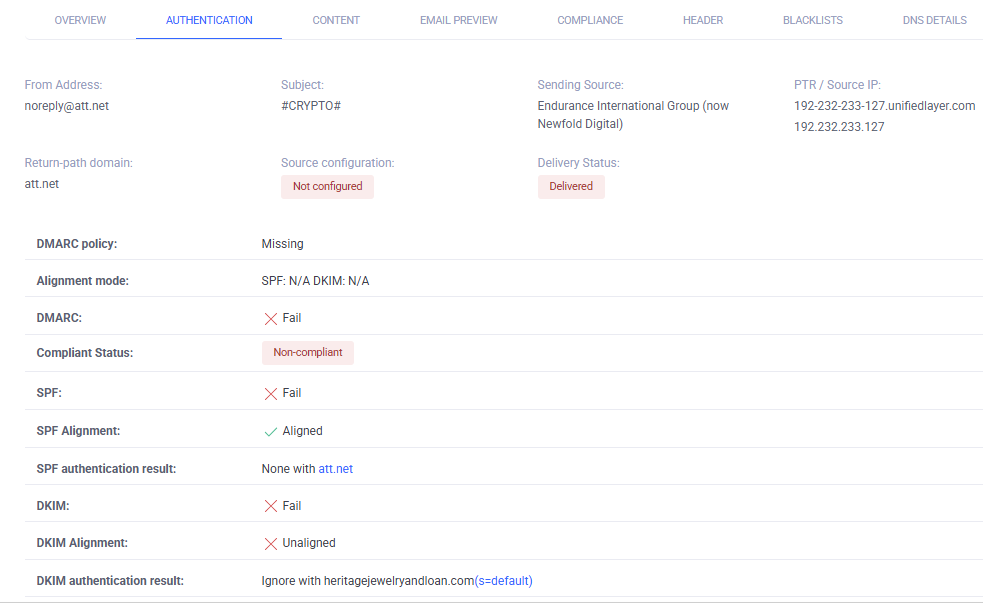
- EasyDMARC Results
- Detailed header breakdown.
- Advanced sections (e.g., compliance, content) are premium-only.
- Ticketdesk Results
- Output was limited to a text-based report.
- Not very helpful compared to other tools.
Key Limitation:
These tools only reformat headers. They provide little to no automated threat intelligence enrichment or deep anomaly detection. This makes the process slow and insufficient for time-critical environments like a Security Operations Center (SOC).
Automated Analysis with Anomix
To overcome manual limitations, we analyzed the same email with Anomix.
1. Analysis without Threat Intelligence
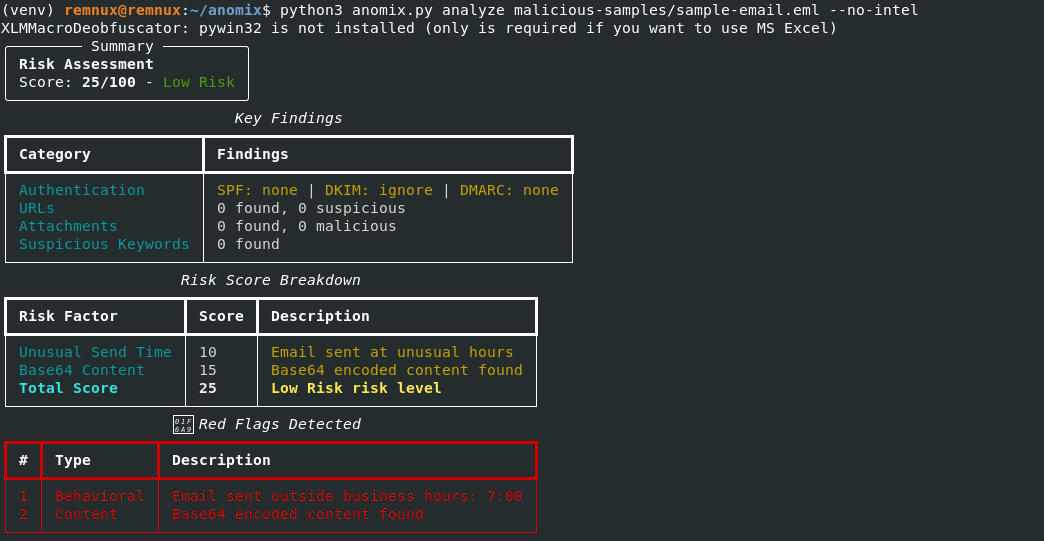
- Parsed headers within seconds.
- Detected base64-encoded payloads.
- Authentication results marked as
none(consistent with manual tools). - Risk score: 25% (Low Risk).
2. Analysis with Threat Intelligence
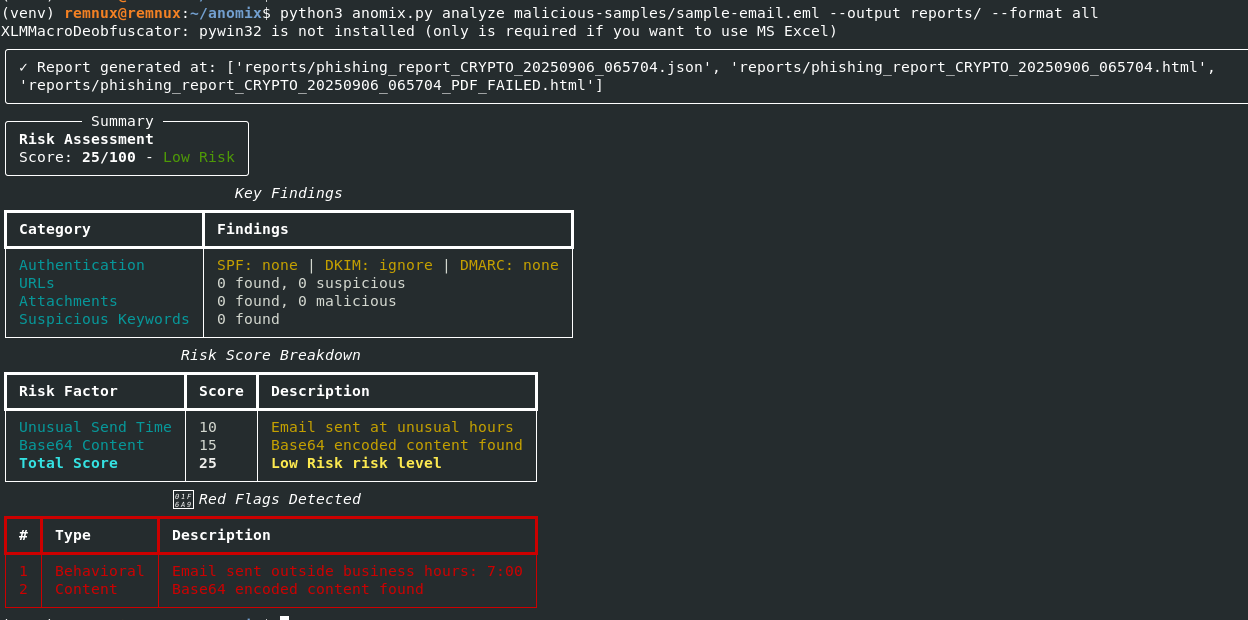
- Extracted and enriched IOCs.
- Generated full reports in HTML/JSON formats.
- No active threats found in TI sources (doesn’t mean safe, but indicates no matches).
Comparison: Manual vs Anomix
| Aspect | Manual Analysis | Anomix Analysis |
|---|---|---|
| Speed | Slow (several minutes) | Fast (~20 seconds) |
| Ease of Use | Requires multiple tools | Single CLI tool |
| Threat Intel | Limited / Premium only | Built-in (with enrichment) |
| Accuracy | Depends on analyst interpretation | ML-driven + standardized scoring |
| Reporting | Minimal / screenshots only | JSON, HTML, CLI outputs |
Conclusion
Manual analysis is useful for learning and quick checks, but it is time-consuming and incomplete.
In contrast, Anomix automates parsing, IOC extraction, threat intelligence, anomaly detection, and reporting—all in under 20 seconds. This makes it far more practical for SOC teams and enterprises, where time-to-detection and response are critical.
From our case study:
- The analyzed email was malicious (crypto scam).
- Manual tools showed header details but missed contextual risk.
- Anomix provided a scored assessment, anomaly detection, and structured reports.