Investigating Suspicious Email Attachment –> SOC Triage Walkthrough
July 6, 2025 • SOC Triage

This blog covers the step-by-step triage of a suspicious phishing email alert in a simulated SOC environment. We examine the context, threat indicators, and recommended actions to determine if the attachment poses a risk to the organization.
Introduction
A phishing email containing a suspicious ZIP attachment titled ImportantInvoice-Febrary.zip was flagged by the SOC monitoring system. The email appears to use invoice-themed lures to trick the recipient into opening the file. In this walkthrough, we investigate whether the attachment is malicious and determine the appropriate course of action.
Triage Process
We are first presented with the following alert:
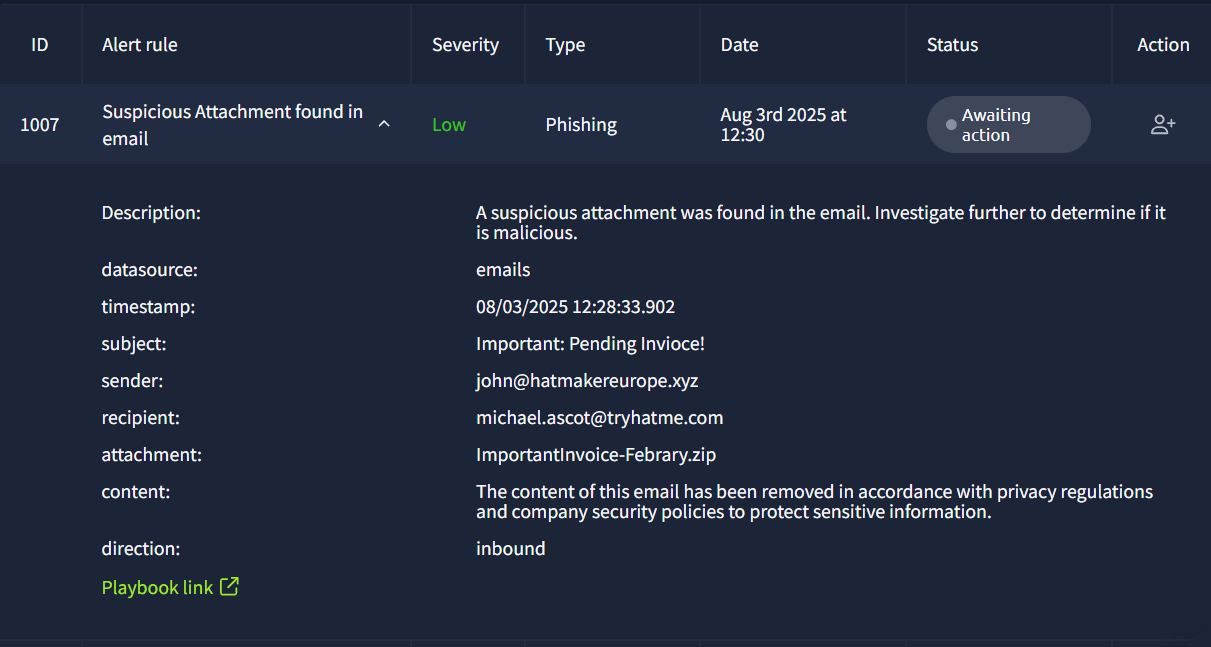
The initial step is to examine the alert details and follow our organization's email threat triage playbook. Below are the playbook steps provided by TryHackMe (used here for simulation purposes):
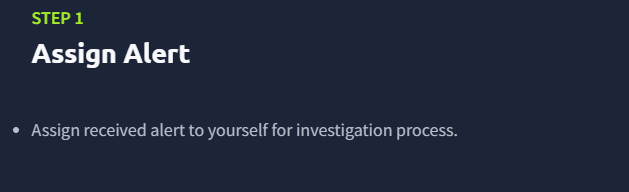
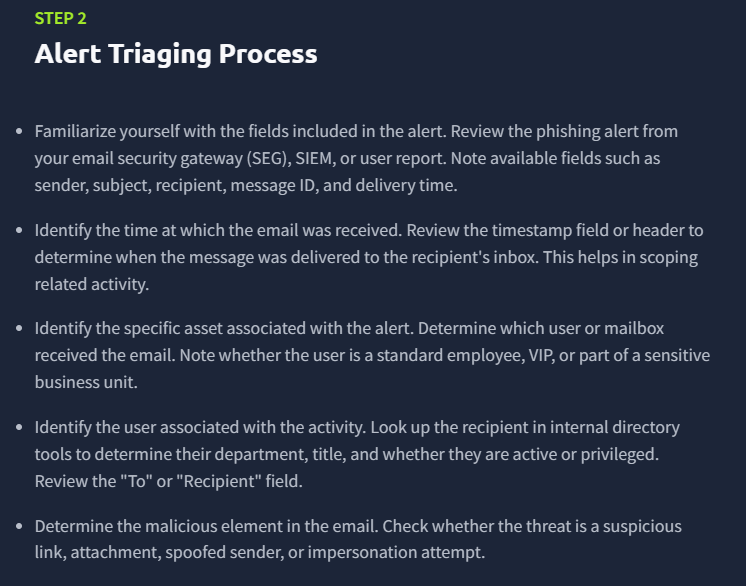
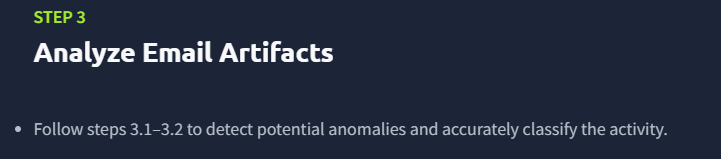
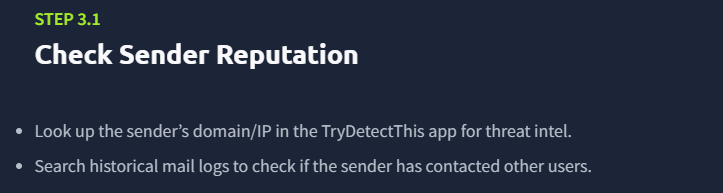
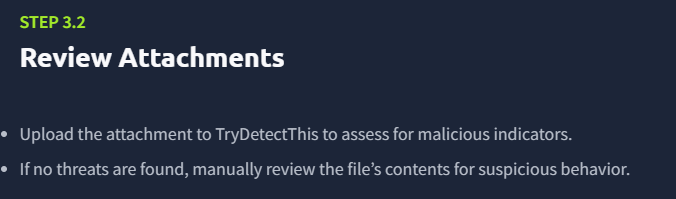
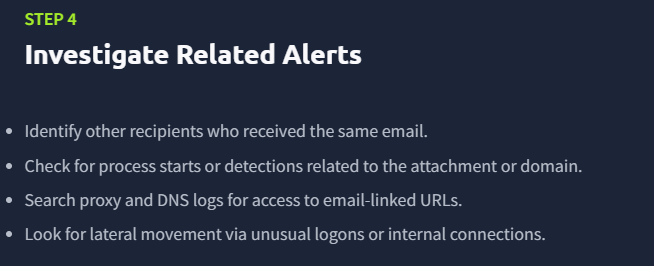
After reviewing the alert, I took ownership and proceeded to the SIEM to determine how many recipients received the email. From the logs, it was evident that the phishing attempt targeted a single user:
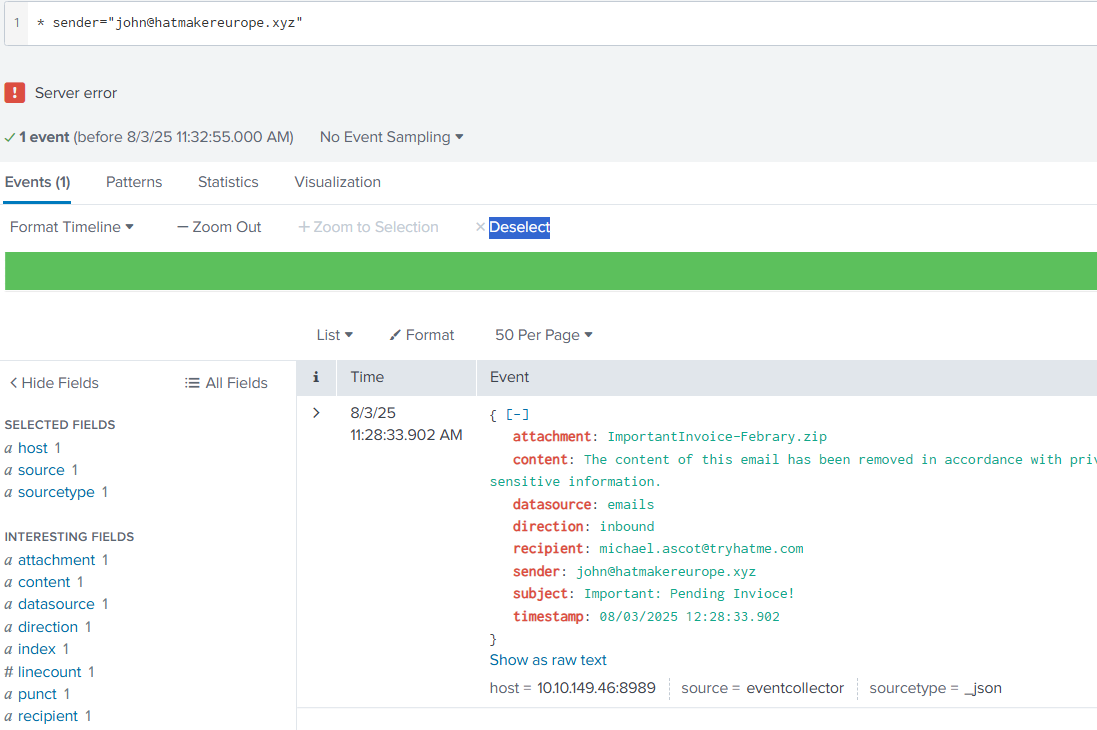
By querying the sender’s email address, we confirmed only one corresponding event. The next step was to inspect the attachment and evaluate the sender’s domain reputation.
The domain appeared clean, with no known history of malicious activity. However, the attachment needed deeper inspection.
File Inspection
The attachment was located on the analyst desktop in the attachments folder. I extracted the contents of the ZIP file:
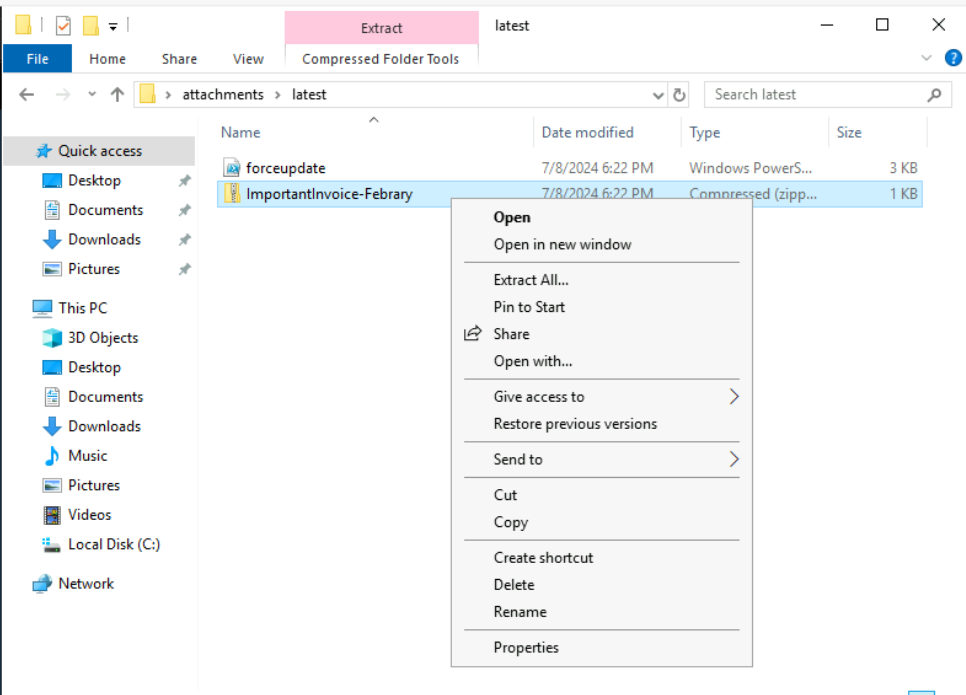
It contained a file named invoice.pdf:
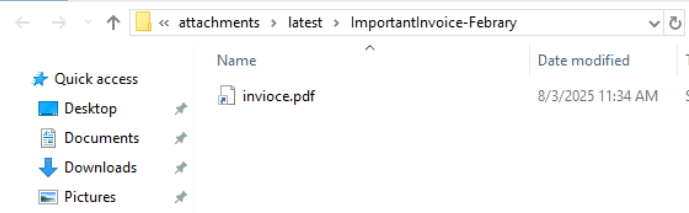
Even though the file had a .pdf extension, it's critical not to assume safety based on file name or icon alone. Many attacks disguise executable payloads using misleading extensions.
I checked the file properties:
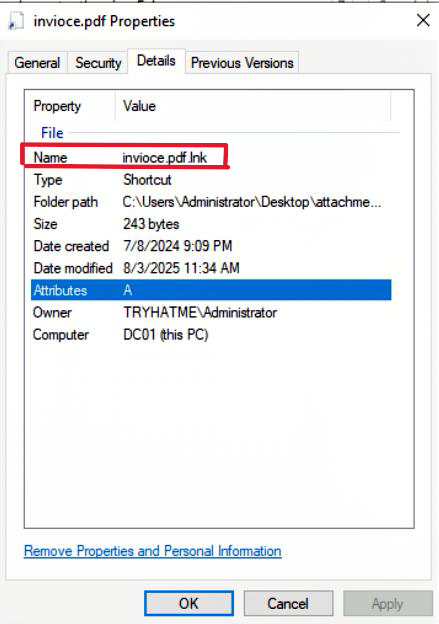
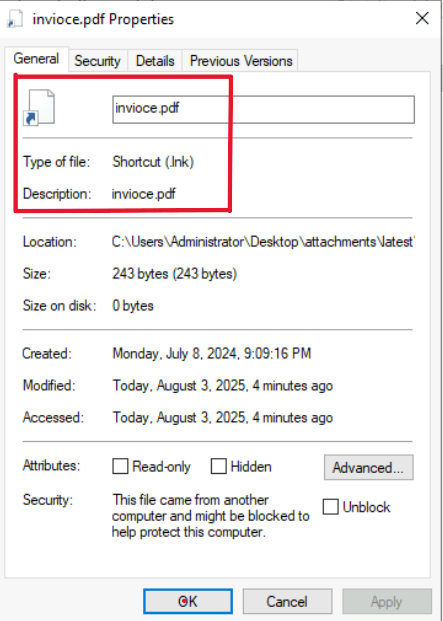
It was revealed to be a .lnk (Windows shortcut) file. This is a common trick used to execute scripts or commands while masquerading as a document.
I opened the content of the .lnk file:

The file executed a PowerShell command that downloaded and executed a reverse shell script. Here's a breakdown of the payload:
- It used PowerShell to download
powercat.ps1from GitHub. - Then used
powercatto connect to a remotengrokserver (2.tcp.ngrok.io:19282) and provided the attacker with a remote PowerShell shell.
This is a textbook example of social engineering coupled with a reverse shell attack to gain unauthorized access.
Real-World Considerations
In a real-world SOC environment, beyond file inspection, we must determine whether the victim executed the file. This involves:
- Reviewing endpoint logs (e.g., PowerShell logs, Sysmon, EDR)
- Checking process creation events (
Event ID 4688) - Analyzing user behavior around the time the email was received
If execution is confirmed, the case must be escalated to L2 or the Incident Response team immediately.
Case Reporting
In this simulation, we proceeded by clicking on Write Case Report:
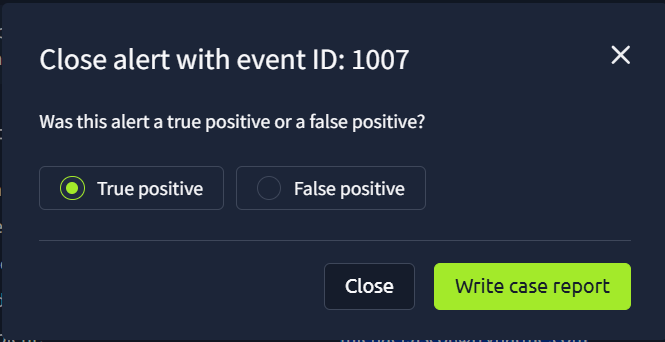
We marked the case as a True Positive and added commentary:
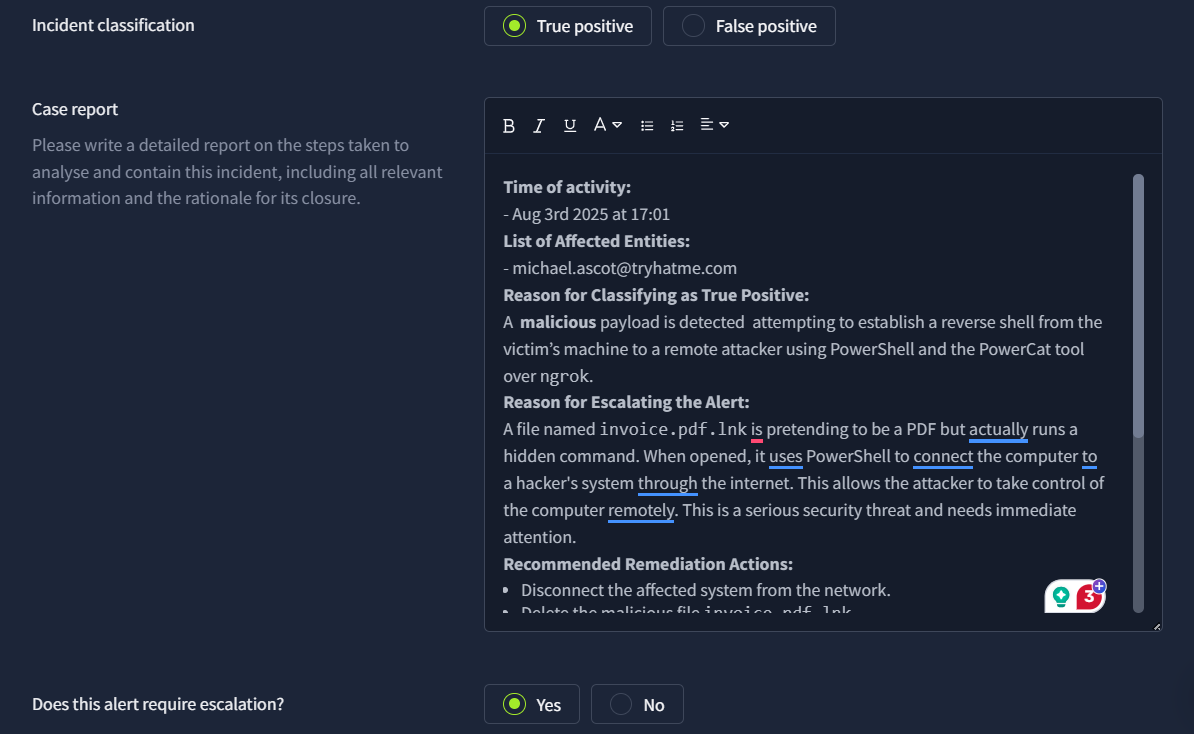
Escalation Notes
Time of Activity:
- Aug 3rd, 2025 at 17:01
List of Affected Entities:
Reason for Classifying as True Positive:
A malicious payload was detected attempting to establish a reverse shell from the victim’s machine to a remote attacker using PowerShell and the PowerCat tool over ngrok.
Reason for Escalating the Alert:
A file named invoice.pdf.lnk masqueraded as a PDF document. Upon execution, it launched PowerShell, downloaded a reverse shell script from GitHub, and connected to a remote attacker's system using ngrok, enabling full remote control. This is a critical threat requiring immediate action.
Recommended Remediation Actions:
- Immediately disconnect the affected system from the network.
- Delete the malicious file
invoice.pdf.lnk. - Block the domain
2.tcp.ngrok.ioat the firewall. - Review logs for any suspicious PowerShell activity.
- Perform a full antivirus/EDR scan.
- Reset affected user’s credentials.
- Enable PowerShell script logging and transcription.
- Educate users on avoiding shortcut files disguised as documents.
List of Attack Indicators:
- File:
invoice.pdf.lnk - URL:
https://raw.githubusercontent.com/besimorhino/powercat/master/powercat.ps1 - C2 Domain:
2.tcp.ngrok.io:19282
Conclusion
After completing the analysis and documenting our findings, we closed the alert.
This case reinforces the importance of scrutinizing suspicious attachments—even those that appear harmless. As defenders, being methodical and inquisitive during triage is essential in detecting and stopping early-stage attacks before damage occurs.